Painted rooms
Every screen is a single scene, not a scrolling map. Exits on the edges lead on to the next room, the next town, the next territory.
Step through the door. Every room a painting, every road a story.
A hand-drawn, point-and-click fantasy RPG in the spirit of the classic online worlds of the 1990s. Wander painted rooms, dress your hero piece by piece, face monsters in turn-based battle, and build whole realms of your own.
Windows & Linux · one file, nothing to install · public release after alpha testing
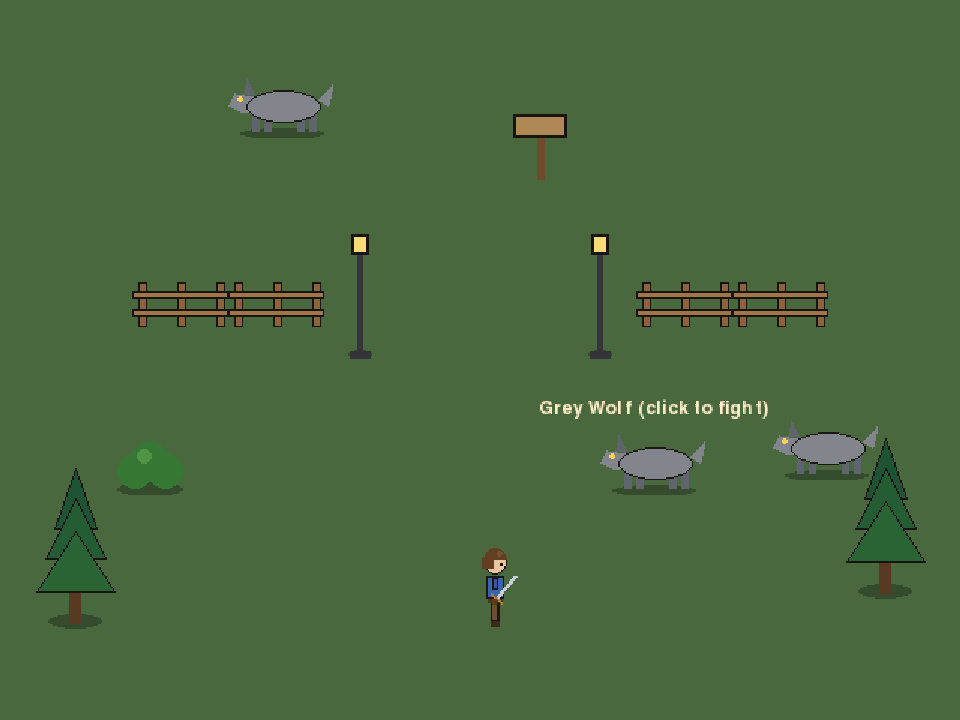
The Realm Unbound is built the old way: one still, hand-drawn scene at a time. The town square with its well and lamp posts. The north gate with wolves prowling beyond the fence. The forest road to Thornvale.
Click where you want to go and your hero finds the way, around walls, fences and wells. Walk off the edge of a scene and you're in the next one. Behind a tree, the tree hides you; in front of it, you hide the tree.
Every screen you see here is taken straight from the game.
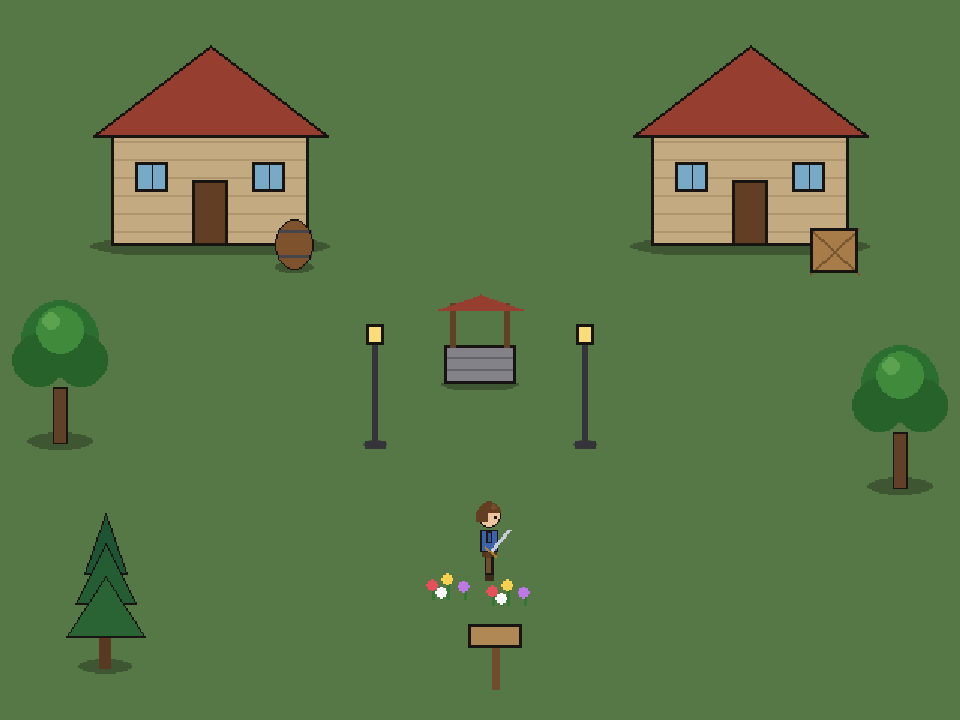
Every screen is a single scene, not a scrolling map. Exits on the edges lead on to the next room, the next town, the next territory.
Click the ground and your hero walks there, picking a path around anything in the way.
Your character is a paper doll. Every sword, staff, tunic and pair of trousers you wear shows on them, in the world and in battle.
Click a monster to meet it on a separate battle field. Attack, watch it answer, or try your luck and flee. The room waits for you, just as you left it.
Beaten monsters leave something behind. Put it on right there in the victory window, or keep it in your bag for later.
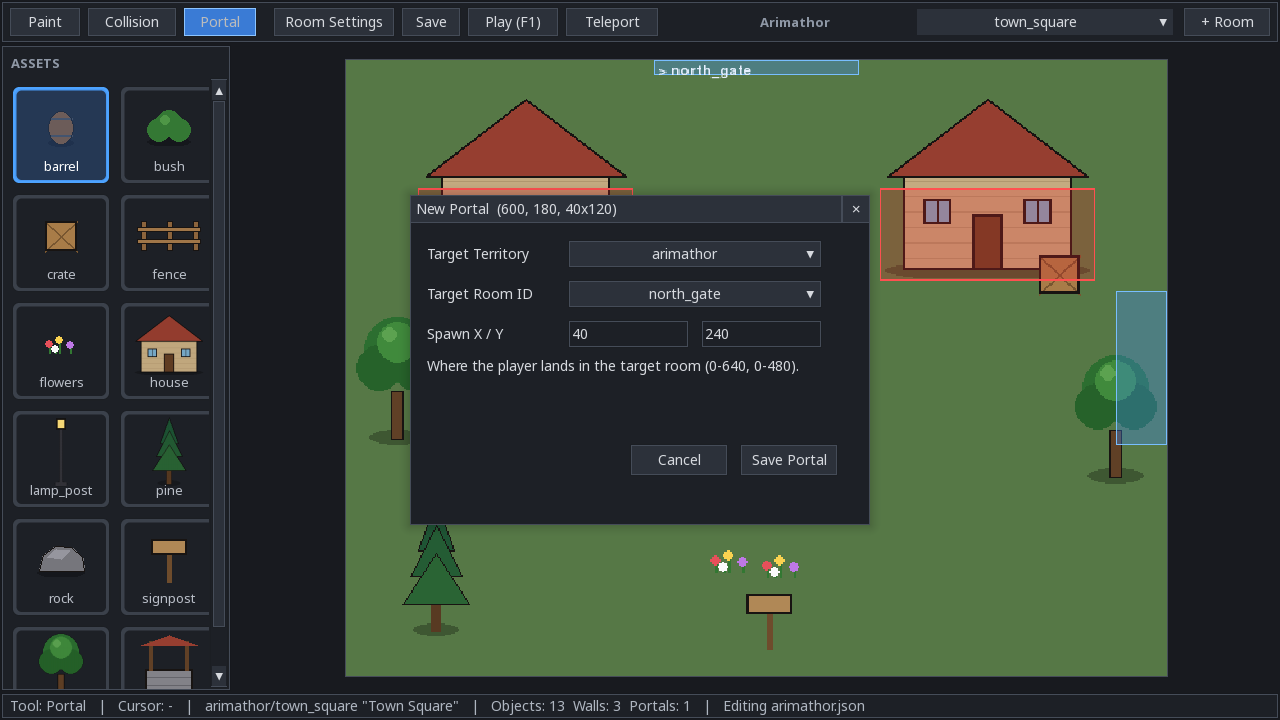
The world builder is part of the game. Paint scenes, draw walls, link rooms with doorways, and choose which monsters roam where.
Play alone, or open your world so friends can join you over the network: no servers, no subscriptions.
Press F1 and the game becomes the tool that made it. Everything you change is saved as you go, and F1 again drops you straight back in to walk what you built.
The game will be a single file. Download it, put it in a folder, and run it, with nothing to install. Public downloads open once alpha testing is done.
Coming after alpha
Coming after alpha
chmod +x Unbound-Linux./Unbound-LinuxThe game keeps your worlds in an UnboundData folder it creates beside itself. Keep the two together, and back that folder up.
Developers and invited testers get the latest builds, and can report bugs and ideas, in the developer area.
Developer accessNo. Everything the game needs is inside the one file. You don't need Python, extra libraries or a separate installer.
In a folder called UnboundData, created next to the game the first time it runs. Your rooms and territories live there. If you put the game somewhere it can't write (like Program Files), it'll tell you and ask you to move it.
The single file unpacks itself each time it starts. It takes a few seconds, a little longer the very first time.
When alpha testing is finished. Until then builds go to developers and invited testers, who report what needs fixing. If you'd like to help test, get in touch with the project owner.
Not yet. Drop-in multiplayer is planned: one player hosts their world and friends join over the network, with no central server. For now the game is single-player.
The worlds you build are saved as you go. Your hero's health, gear and bag are kept while the game is open. Saving your hero between sessions is coming in a later preview.
Click to walk, click a monster to fight, I for your inventory, F1 for the world builder, F3 to see paths and walls, Esc to quit. In battle, A attacks and F flees.